
Backbone is a hugely popular MV* framework because it gives you a ton of freedom of implementation. There is no one "Backbone way" to accomplish most coding tasks.
This freedom is wonderful when you need it, but when you don't, Backbone's lack of official guidance makes it easy to stray into some bad patterns. When writing new code, try following these rules, and you'll likely find that your code will be far more modular and easier to understand.
Note that these rules assume that you're not using any advanced Backbone extensions. Projects like Marionette attempt to solve these issues in different ways.
#Rule 1: Views may point to one and only one Model

Views which need to reference more than one Model are warning signs that you're trying to do too much with one class. Instead, break your large View into two or more Views. The View's model should always be stored as this.model.
Similarly, Views should point to no more than one @collection.
#Rule 2: State must be kept in Models - not Views, and not the DOM

Don't store extra attributes like ".addressHidden" on your View - attributes stored this way don't fire change events and are difficult to persist. Instead, find a way to express the state at the Model level - as "hasAddress", for example.
Don't wait until a "submit" user action occurs to store Form data. While you're waiting, you're leaving precious user-entered state in the DOM. Instead, take the data out of the DOM as quickly as possible and store it in a Model, even if it isn't validated yet. It isn't a View's job to validate data, anyway.
#Rule 3: Objects may not be stored in Model attributes
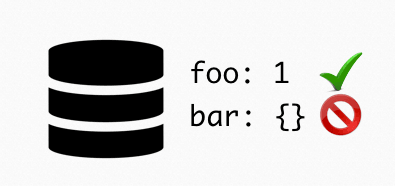
Setting any of the keys of objects nested in this way will not trigger a "change" event, and nullifies the biggest benefit of using Backbone Models. Data should always be stored in a way that's reliable to watch for changes.
#Rule 4: Models may point to other models
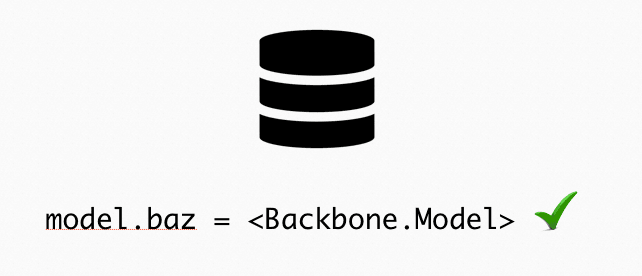
This is a reasonable alternative to storing objects inside of model attributes. You can override toJSON() and parse() in your Models to convert between nested objects and Model pointers.
#Rule 5: Models may not have more than ten attributes
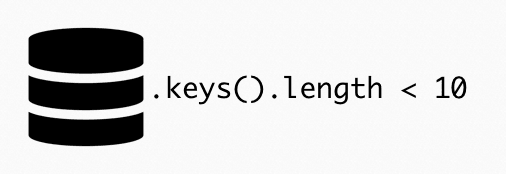
Models with more than ten attributes are unlikely to be cohesive. Smaller, more cohesive Models reveal their intention more clearly when they are passed into a function. Do you really need the whole "User" Model, or just a "UserContactInfo" Model, to accomplish this task?
If your API has resources with more than ten keys, don't be afraid to split the data into separate Models in your parse/toJSON implementations. Just because data is stored together doesn't nessesarily mean it needs to be manipulated together.
#Conclusion
It's important to be able to notice early warning signs of bad code before it has morphed into spaghetti. What are your tips for designing Backbone systems?